Introduction
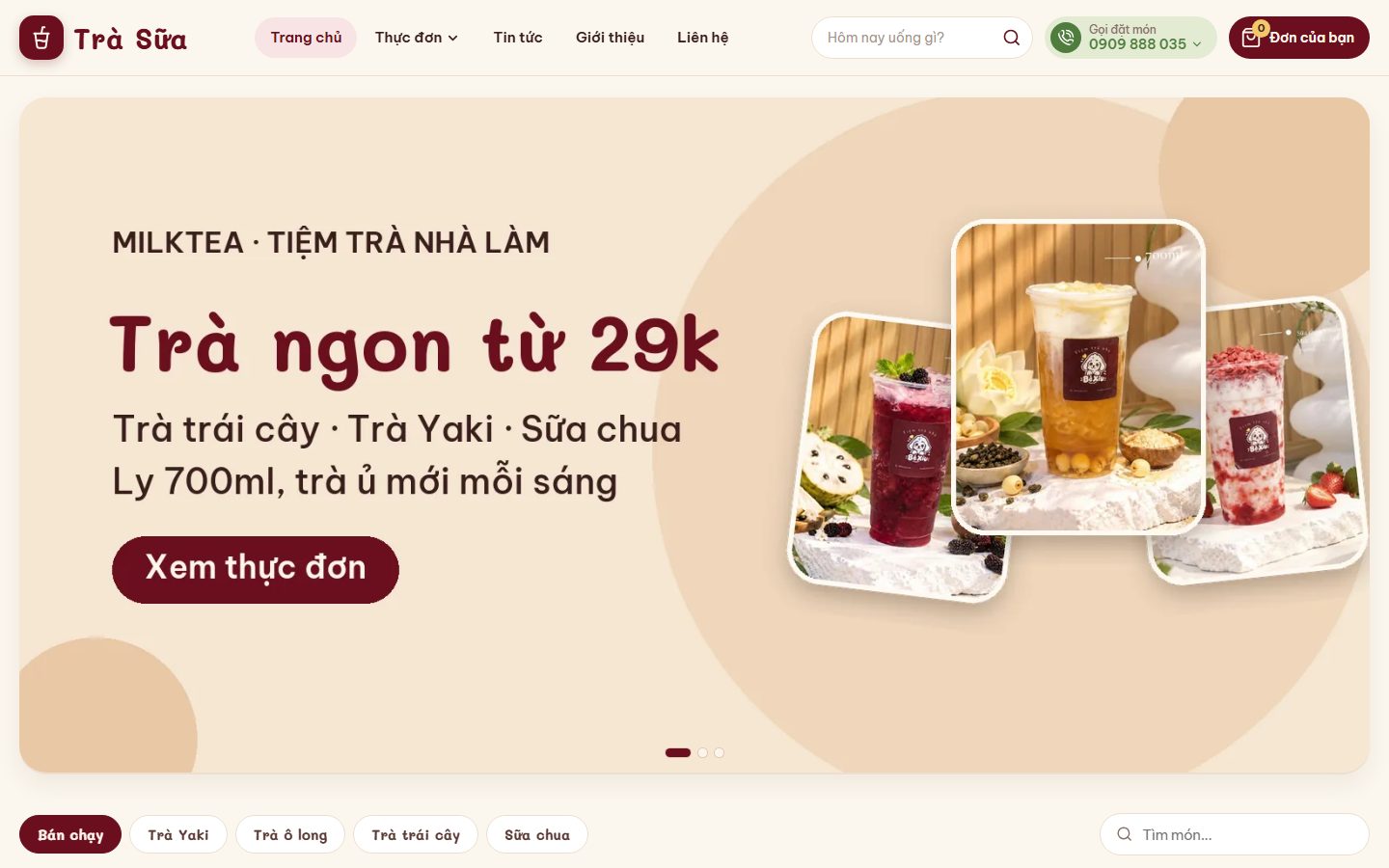
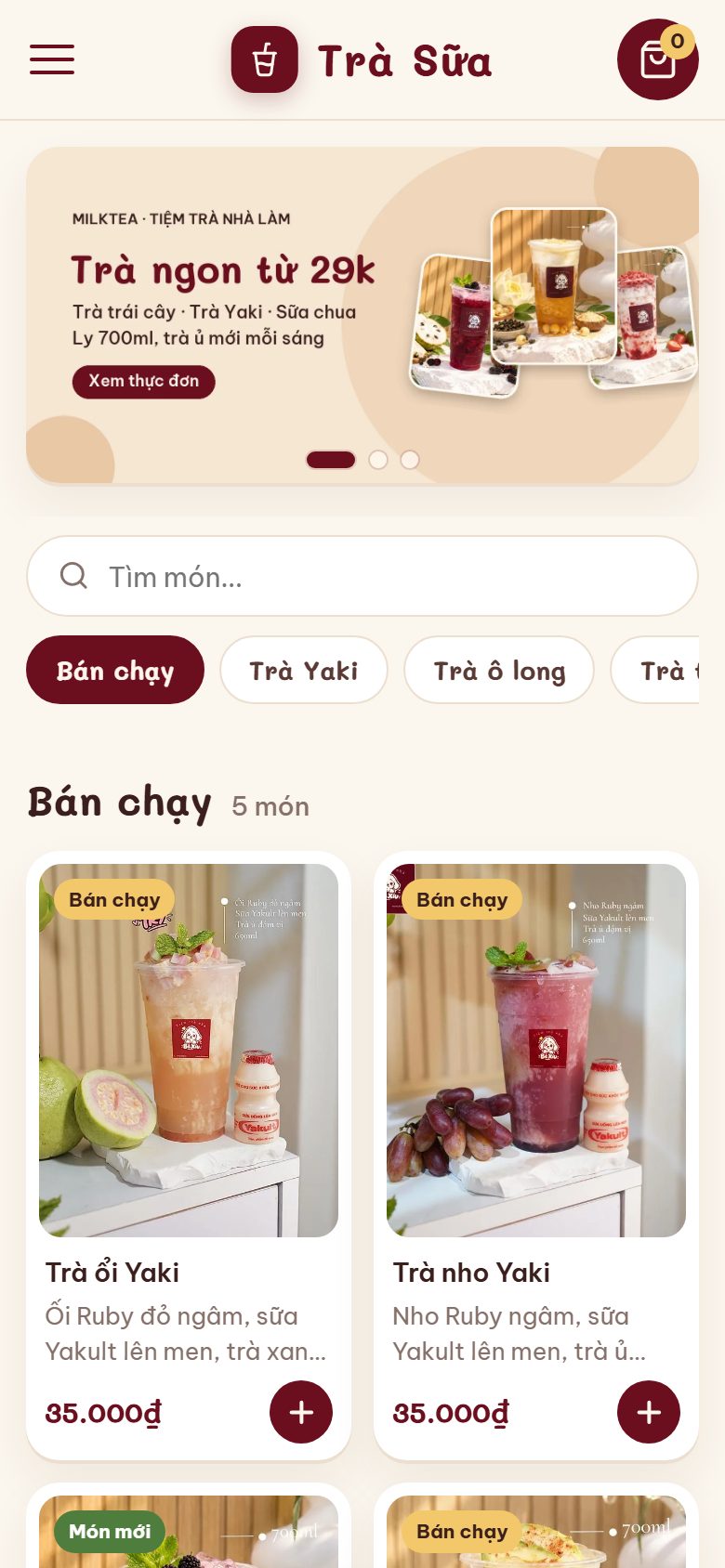
MilkTea is for bubble tea, fruit tea, coffee, juice and drink shops that want their own ordering website on Blogspot — no app, no hosting. Customers open the link (or scan the QR code on their table) and order right away. A warm cream background, plum-red accents and the rounded Mali font; plain JavaScript, light and fast on phones.
The homepage is the whole menu — no page changes
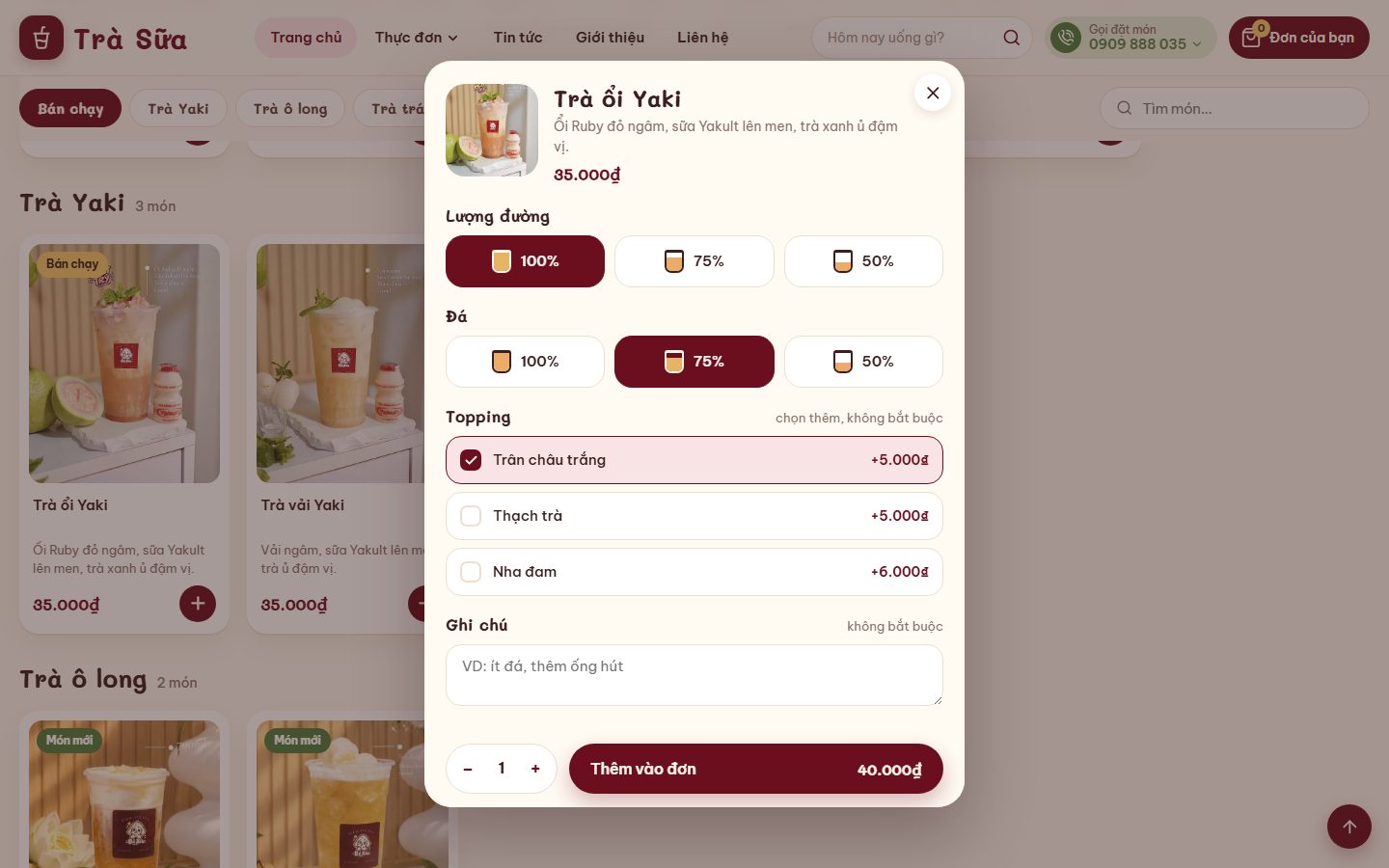
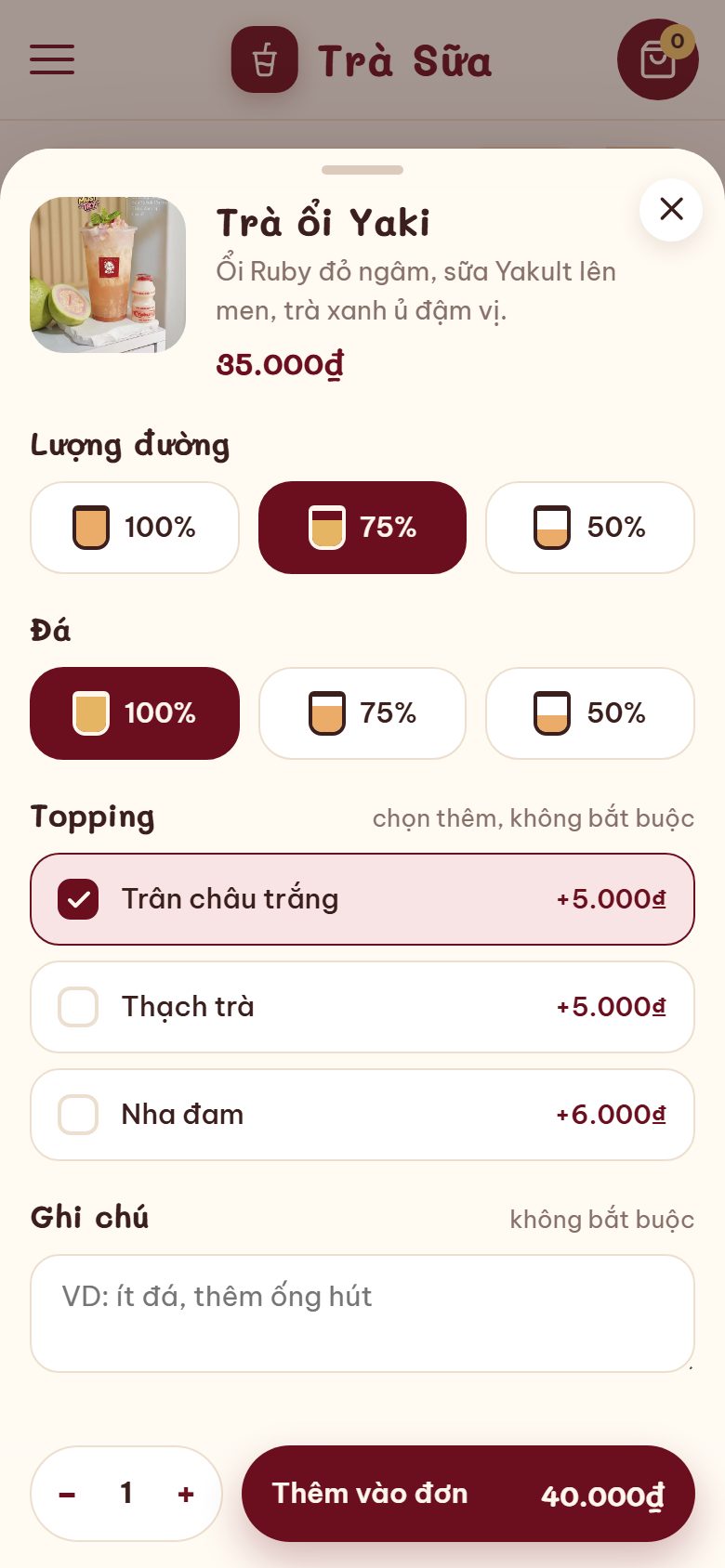
Below the slider is every item, loaded once and split into groups (Best sellers, Yaki tea, Fruit tea, Yogurt…) using label|Group name lines in Layout. The sticky group bar highlights the group you are viewing, and the search box works even without accents. Tapping an item opens a slide-up sheet (a centered box on desktop): sugar level, ice level (shown as a full/empty cup), sizes with their own prices, toppings that add to the price, a note, quantity and an Add to order · total button.
Price and toppings per item
Each item is a post made with the extension: set the price, sale price and M/L sizes with different prices. Item-specific toppings take a single line in the description, Topping: White pearls 5k, Cheese foam 10k; leave it out and the shop's shared toppings are used. Sugar and ice levels are edited once in Layout for every item.
Ordering as smooth as an app — 3 ways to sell, switched on/off in Layout
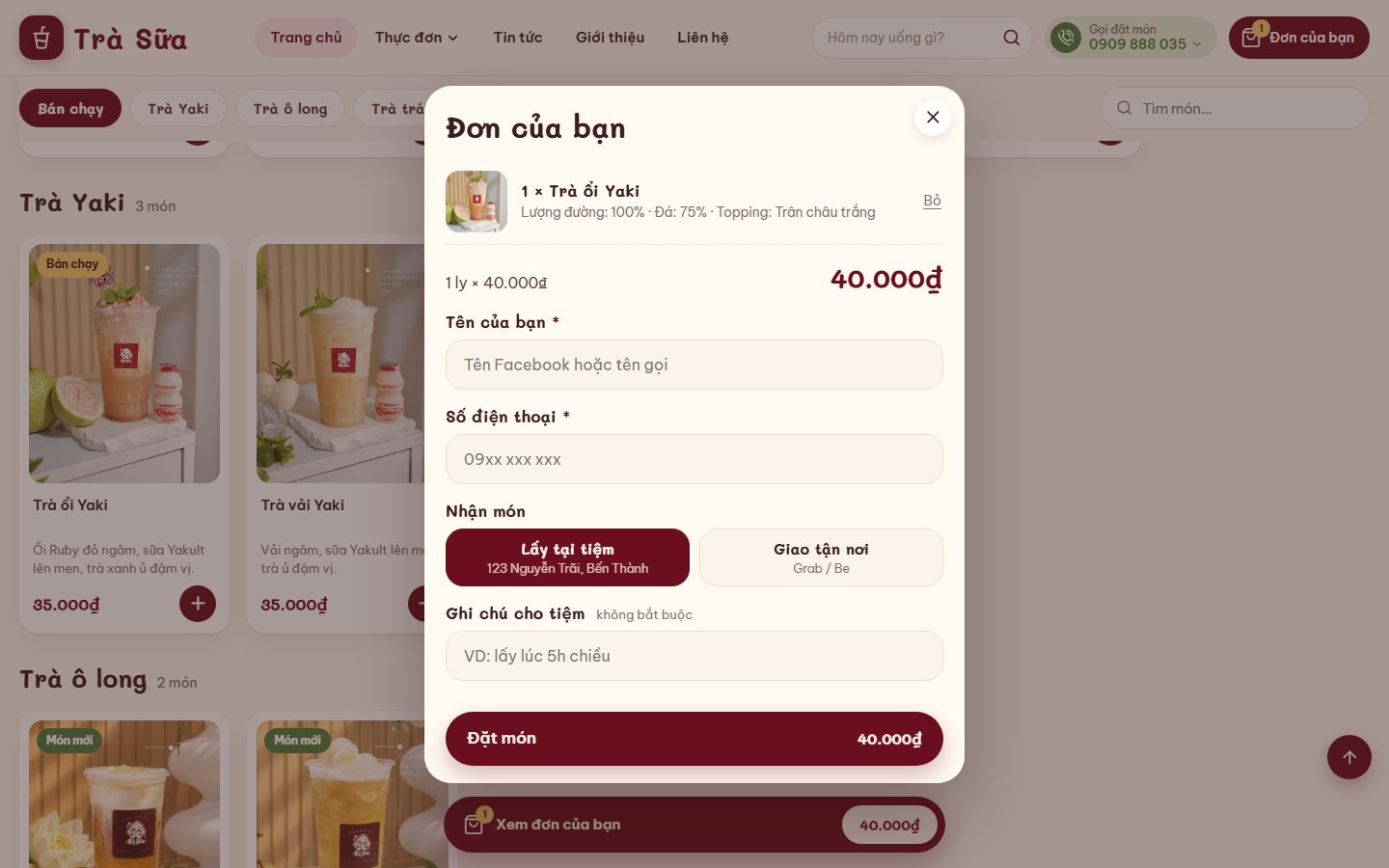
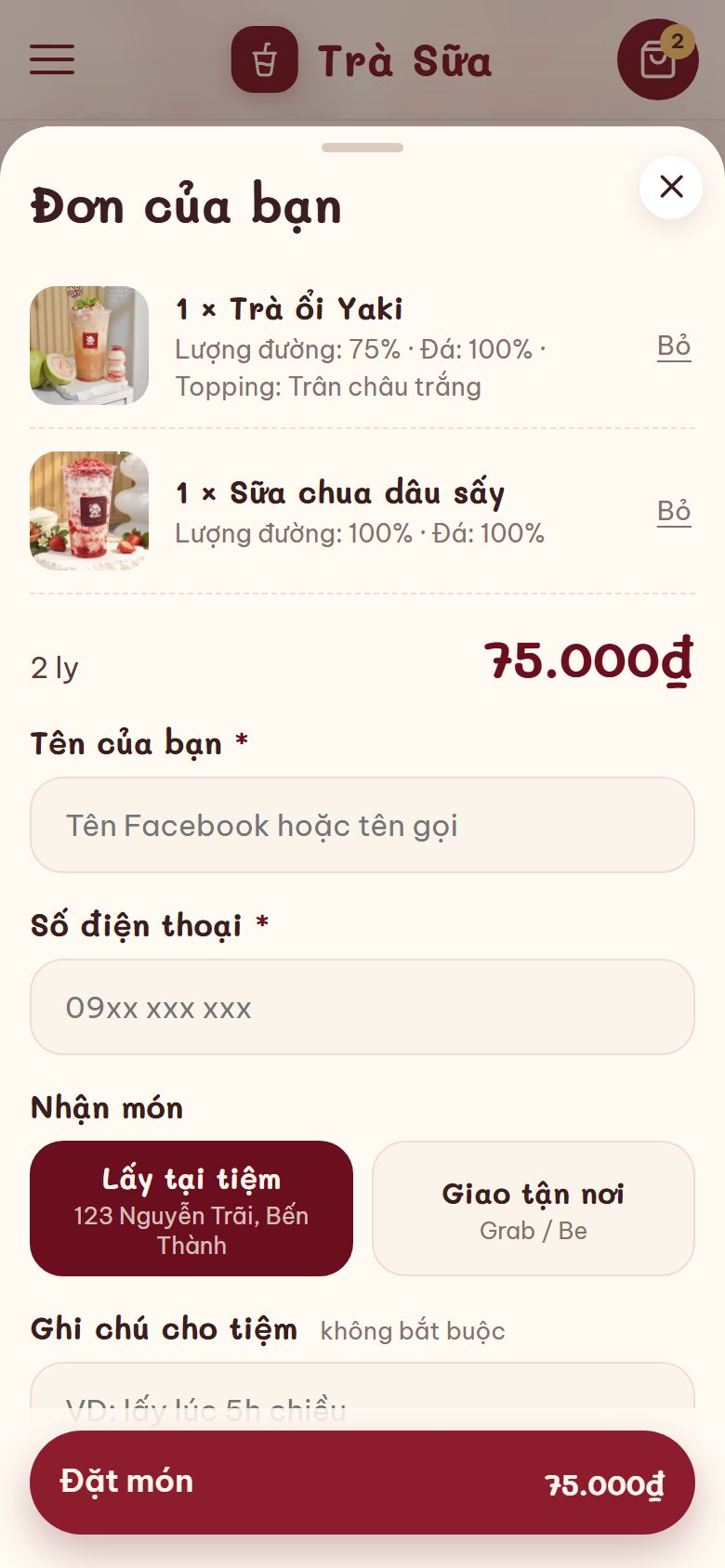
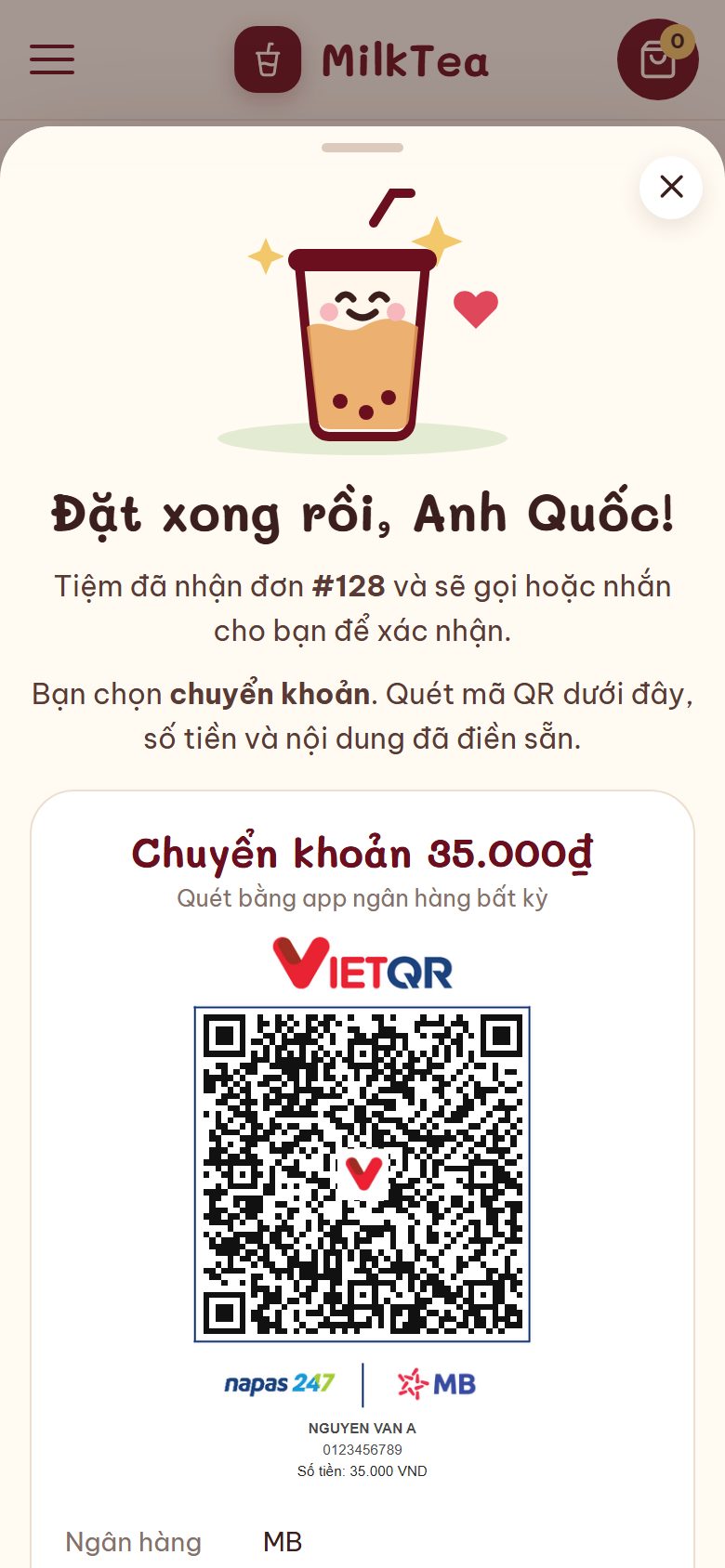
The Your order sheet lists the items (cups × name, options, a Remove button) and the total, and only asks for Name + Phone number + how to receive + payment. The owner switches each mode on or off: Delivery (Grab/Be) also asks for an address, Order online, pick up at the shop, and Order at the table. Pay by cash or bank transfer: after ordering, "Order placed, {name}!" appears with a VietQR code pre-filled with the amount and a transfer note containing the order code.
Ordering at the table with a QR code
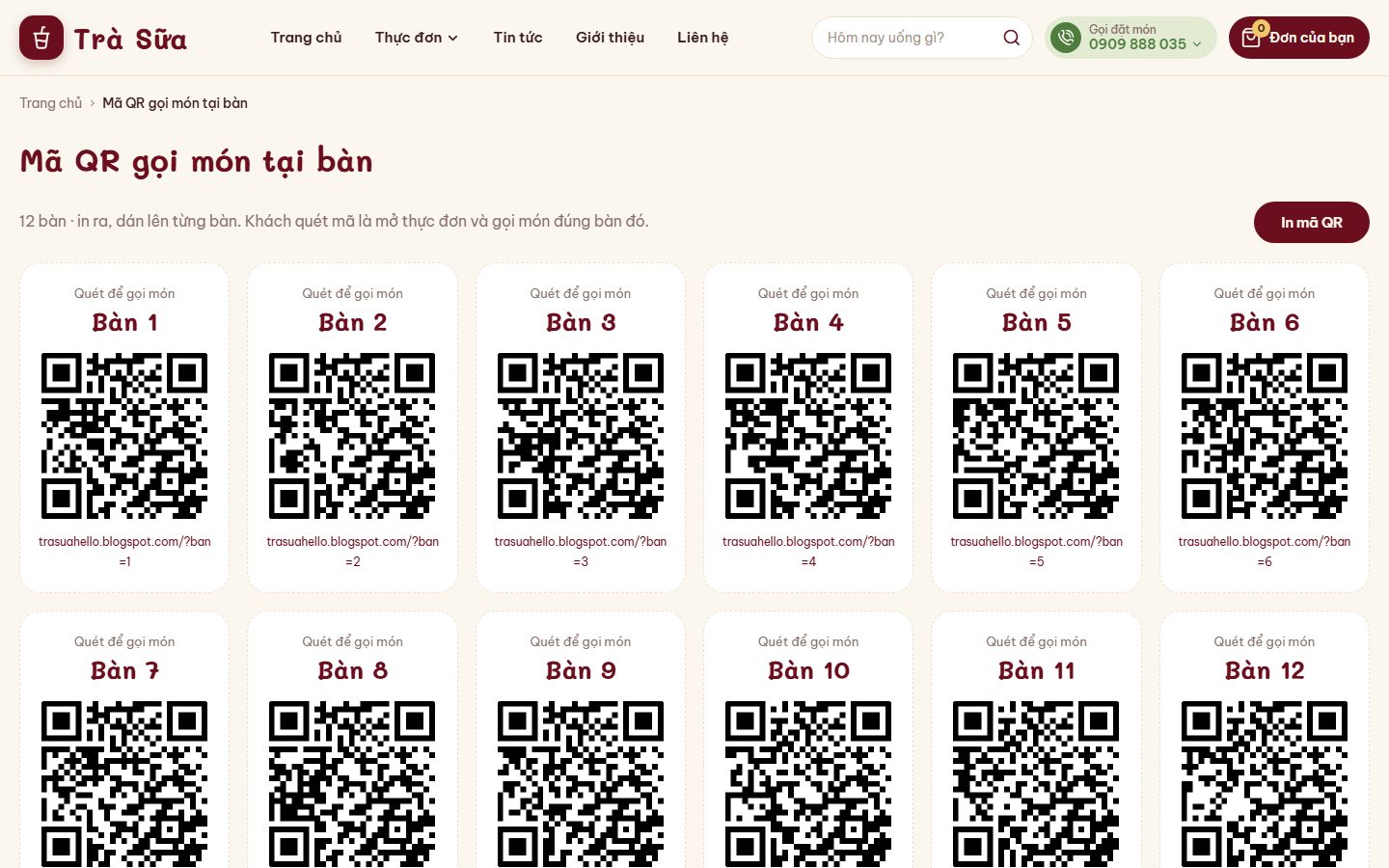
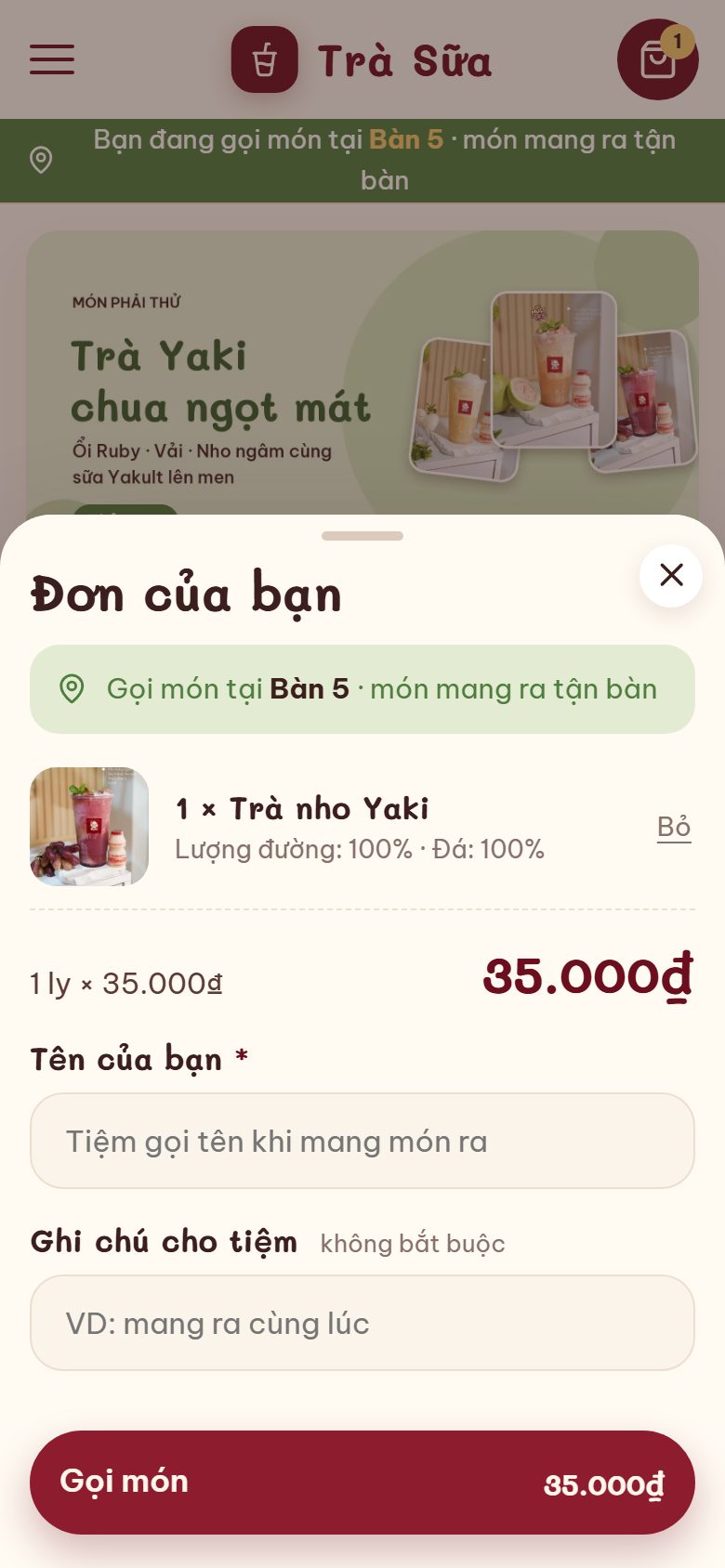
Enter your table numbers (e.g. 12 or Table 1, Garden 2) — the Table ordering QR codes page prints a QR code for each table. A customer who scans it opens the menu with a "You are ordering at Table 5" banner, the order sheet skips the phone number, and the button reads "Order"; the order arrives in the extension with the table number.
Orders go straight to the extension
Every order (delivery, pick-up, at the table) goes to the Orders page of the Blogger Manager extension: change status, add notes, export CSV, get instant email/Telegram alerts. Also included: news, About, a Contact page with a map and a delivery policy page; category SEO and numbered pagination.